
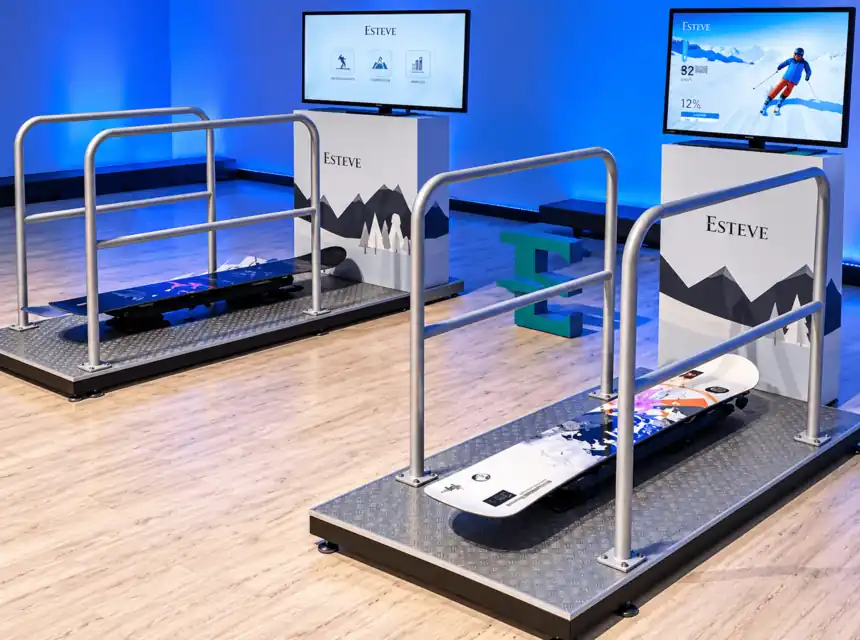


Features of Snowboard Simulator
Product features
- Players:
- 1 player |
- Game time:
- 2 min
- Electricity:
- Yes |
- Power:
- 3600 W
- Staff:
- Staff Needed |
- Weight:
- 120 kg
- Set-up:
- 1 h |
- Takedown:
- 1 h
- Size:
- 240 x 150 x 300 cm (Height x Width x Depth)
- Recommended space:
- 300 x 250 cm (Width x Depth)
What the snowboard simulator is and how it works
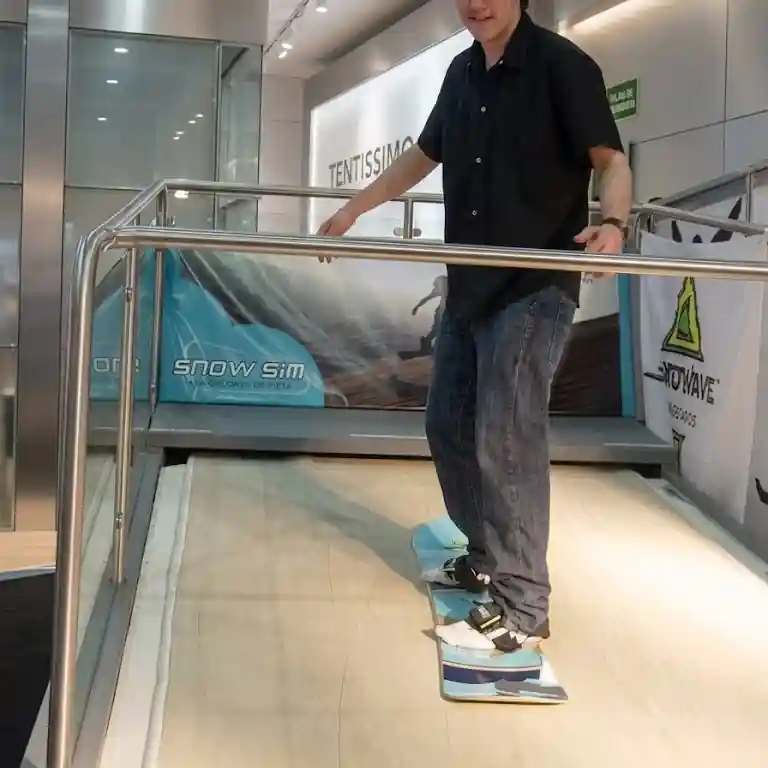
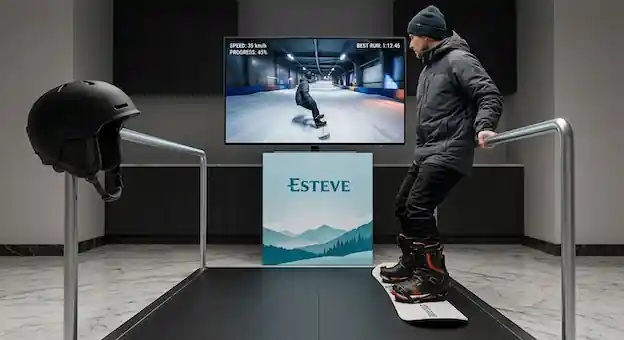
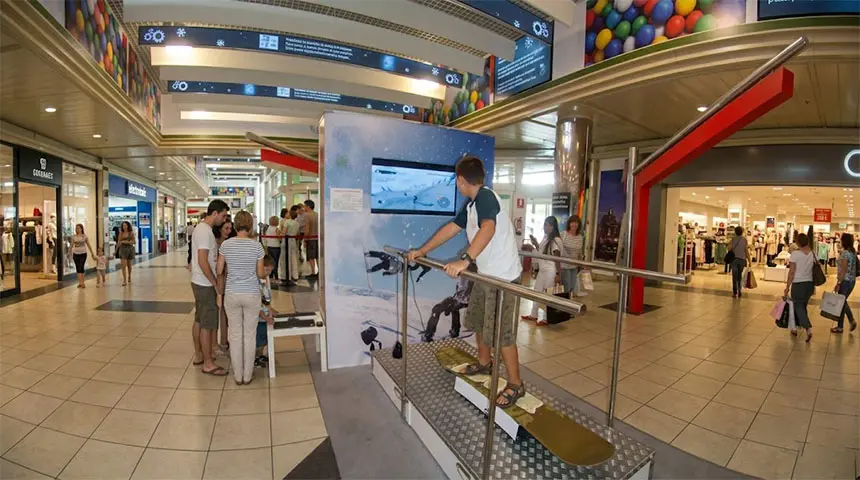
Snowboard simulator hire for events lets you feel like you're gliding over snow without leaving the venue. The rider stands on a board on a motion platform and watches the run on a large screen in front of them.
- They take up a balanced stance on the board.
- By leaning and shifting their weight, they steer the character on screen.
- The aim is to keep your balance and dodge obstacles for as long as possible.
- Speed and difficulty are adjusted to each rider; no experience needed.
Snowboard simulator specifications and requirements
- Equipment: motion platform with interactive board, 55" screen and free-standing metal frame with side rails.
- Staff: 1 specialist technician for 3 hours included.
- Space: a flat area of 300 x 200 cm (600 x 200 cm for two simulators).
- Power: 220 V sockets, with at least 3,600 W per simulator.
- Location: indoors or in a closed marquee; outdoors only in good weather, with no rain or strong wind. A supervised, protected area.
- Capacity: 25 to 40 riders per hour.
These are the snowboard simulator requirements for events.
What kind of events the snowboard simulator is ideal for
Indoor snowboarding for events fits:
- Trade fairs, themed parties and winter events
- Corporate events and team building
- Shopping centres and family festivals
- Brand activations and promotional events
- Sports events and sports days
- Private parties and celebrations
Why hire a snowboard simulator?
- Snow without snow: the feel of the slopes at any time of year.
- Safe: side rails and a technician always on hand.
- Spectacular: it turns heads and builds a queue.
- On theme: a winter attraction for events, perfect for Christmas campaigns and snow-themed parties.
Snowboard simulator hire in Barcelona for fairs and Christmas
Season all year
Snowboard simulator hire in Barcelona brings the feel of the mountains to a stand, a shopping centre or a corporate party. For sports shops and ski brands it lets the public try the snow lifestyle first-hand, and whoever gets on ends up asking for another run.
At travel and tourism fairs, ski resorts and mountain destinations use it to win visitors with an experience rather than a leaflet. In shopping centres at Christmas it works as a seasonal attraction that keeps families around for longer. For a winter company party, the technician included takes care of everything. We install it in Barcelona, Madrid and across the rest of Spain.
- Sports shops and brands: a snowboard simulator for collection launches or the start of the season.
- Tourism fairs: ski resorts and snow destinations draw visitors to their stand.
- Christmas shopping centres: a winter attraction that livens up the festive campaign.
- Winter company parties: a balance challenge with a leaderboard, technician included.
Technician includedFairs and standsAcross Spain
Custom snowboard simulator
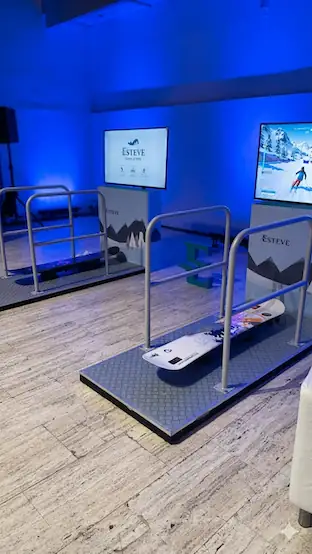
Mountains, winter and adventure at your event. The snowboard simulator customised with your brand shows your logo on the board, the motion platform and the 240 cm frame around the screen, and can also display it on the start screen.
Board and base go in high-resistance vinyl; backdrop and sides in PVC banners or panels. Ski resorts, technical clothing, drinks or Christmas: we adapt to any campaign. You send your artwork or we create it in a couple of days; trusted suppliers print and our team applies it.
With plastic film for transport, it arrives as good as new. A very visual winter brand activation for trade fairs and Christmas markets.


Snowboard simulator with a branded cabinet
Screen cabinet
Choose the cabinet and dress it in your brand
You can hire the snowboard simulator with three screen set-ups. With the large cabinet or the small cabinet, the screen sits in a cabinet that we wrap in printed vinyl with your branding. With no cabinet, the screen stands on a TV stand and we do not brand it, although you can dress the space however you like.
In the 3D designer you choose the large or the small cabinet and see your design on it straight away, before you ask for a quote.
- Maximum impactLarge cabinet172 × 130 × 60 cm (H x W x D)50" screen hung in front, at eye level.Branded: front, sides and back.
- CompactSmall cabinet100 × 100 × 24 cm (H x W x D)2 cm wood. The screen shows from behind.Branded: the front (100 × 100 cm).
- Not brandedNo cabinetScreen on a TV standLess space, quicker set-up.No vinyl: decorate it your way.
The vinyls go on the protected cabinet and come off after the event. We confirm lead times and exact sizes with your quote.
Snowboard simulator hire price
Quoting for a snowboard simulator rental is simple: we start from the venue, the length of the event and additional services, like extra technician hours or a second simulator. Transport is included in the figure depending on the location. Request it with no obligation.
Snowboard simulator set-up and installation
Snowboard simulator set-up in 30-45 minutes per unit, with everything handled by us:
- Planning: we agree the space and access with you.
- Installation: we set up the platform, mechanics and safety features.
- Start-up: we check it works and adjust the levels.
- Supervision: the technician stays during the event for safe use.
- Dismantling: when it's over, we take everything away and leave the space in perfect condition.
Booking the snowboard simulator
To have the snowboard simulator at your event exclusively, two requirements must be met:
- Pay 50% of the total in advance against an invoice.
- Let us know the date and time of the set-up and of the kick-off, the name and mobile number of the contact person there, the precise address and the billing details.
The simulator is held for you only. If it is cancelled for force majeure —rain at an outdoor event or justified unforeseen events— with sufficient notice, 100% of the advance comes back to you.
Frequently asked questions
How does the snowboard simulator for events work?
The participant steps onto a board on a motion platform and watches the course on a large screen. By leaning and shifting their weight, they control the character to keep their balance and dodge obstacles. The snowboard simulator's speed and difficulty adjust to each person, and no experience is needed.
Does hiring the snowboard simulator include a technician?
Yes. The snowboard simulator includes a specialist technician for 3 hours, who explains how it works and supervises the attraction. With a technician, the simulator can take between 25 and 40 users per hour, and the structure has side rails for extra safety.
What space and electricity does the snowboard simulator need?
It needs a flat area of 300 x 200 cm (600 x 200 cm for two simulators) and 220 V sockets providing at least 3,600 W per simulator. It must be indoors or in a closed marquee; outdoors only in good weather, with no rain or strong wind.
What events is the snowboard simulator suitable for?
The snowboard simulator suits tourism fairs, stands for ski resorts and sports brands, shopping centres at Christmas, winter company parties, product launches and corporate events. It is a spectacular attraction that creates queues and keeps visitors around for longer.
Can the snowboard simulator be customised with my brand?
Yes. We put your logo on the board, the motion platform and the structure that frames the screen, and it can also appear on the start screen. The screen can also be housed in a large or small cabinet that we dress in vinyl with your image.